


New sample packs
-
Product on sale
 Neuroscience With Joe Ford (Serum & Ableton Live Racks) [Digital]Original price was: 92,00 €.45,00 €Current price is: 45,00 €.Includes 19% VAT
 -
Product on sale
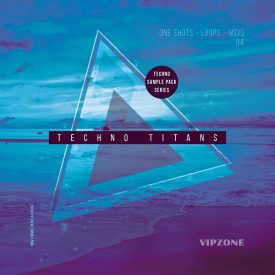
Techno Titans 04 – Techno Sample Pack Series [Digital]Original price was: 19,00 €.9,00 €Current price is: 9,00 €.Includes 19% VAT
-
Product on sale
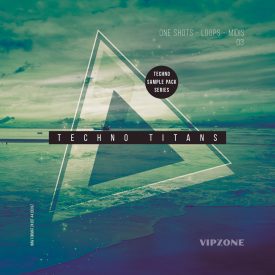
Techno Titans 03 – Techno Sample Pack Series [Digital]Original price was: 19,00 €.9,00 €Current price is: 9,00 €.Includes 19% VAT

Sample packs on sales
-
Product on sale
Hardcore Vocals – Hardcore Samples in wav format [Digital]Original price was: 39,00 €.15,00 €Current price is: 15,00 €.Includes 19% VAT
-
Product on sale
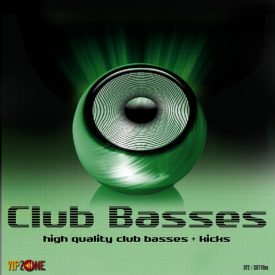
Club Basses – Kick and Bass Samples – EDM and Club Bass [Digital]Original price was: 26,00 €.13,00 €Current price is: 13,00 €.Includes 19% VAT
-
Product on sale
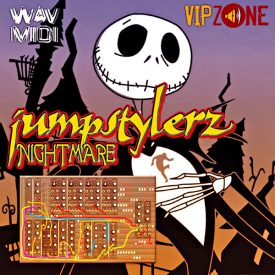
Jumpstylerz Nightmare – Jumpstyle Sample Pack – Midi and WAV Loops [Digital]Original price was: 39,00 €.19,00 €Current price is: 19,00 €.Includes 19% VAT

New music production courses
-
 ADVANCED TRAP TECHNIQUES WITH CHACKKInstant access on bassgorilla.com
 -
MELODIC DOWNTEMPO START TO FINISH IN ABLETON WITH VARTIInstant access on bassgorilla.com
-
 VOCAL PRODUCTION WITH KEVIN ENERGY AND JASMINE KNIGHTInstant access on bassgorilla.com
Techno t-shirts for your next festival
-
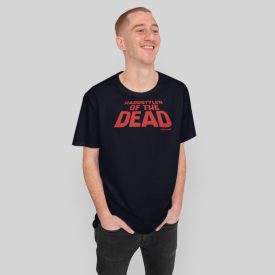
Hardstyler of the Dead Techno T-Shirt19,90 €Sold and shipped by amazon
-
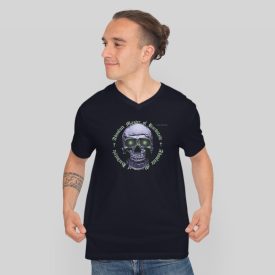
Absolute Master of Hardstyle T-Shirt19,90 €Sold and shipped by amazon
-
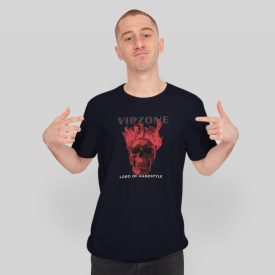
Lord of Hardstyle Red Skull T-Shirt19,90 €Sold and shipped by amazon
Welcome to your Download Shop for high quality DJ Samples.
SAMPLES FOR DJs AND MUSIC PRODUCER
VIPZONE SAMPLES® is THE source for high quality Samples and Tools for your dance music productions since 2004.
We provide SF2 Soundfont Files, Loops, Acapellas, Vocals, Melodies in Midi and Wav Format, Hooklines, Midis and Construction Kits for the genres Dance, Trance, Electro, House, Hardstyle, Jumpstyle, Hands Up and Techno.
Download High Quality DJ Samples within minutes
Everything you need to produce High Quality Dance and Club Music…
Arrange a full track with our Construction Kits including ready-to-use looped kicks, percussions, basses and melodies (you will find everything in each Construction Kit to produce several full music tracks) or build your tracks using our high quality synth sounds in sf2 format, which were recorded using most expensive hardware synths for your pleasure. You might recognize some of the synth lead sounds in past club hits.
You would like to produce a track with real acapella vocals? Please check our vocal selection of 100% professional acapella vocal songs. And the best thing is, as a legal user you are allowed to use the vocals in your commercial productions.
Exclusive vocals of well known singers like the gold and platinum awarded Lyane Leigh or Kate Lesing are available to bring your music to the next level.
We also provide great hooklines and melodies, especially for genres like electro, hands up, trance, dance, club and hardstyle.
Load our midi files into your favorite sequencer, choose your VSTi, hardware synth or one of our sf2 soundfont sounds (coming also in formats sxt, exs, Reason Refill) and you can start your arrangement with a great, ready-to-use and royalty free melody.
Or use our melody wav loops instead, they are all included to the midi packs and recorded using top hardware and sounds, just import the wav files and start instantly.
And exactly like with our acapella vocals, you can use the midi files in your music productions cause you get a license of use with every purchase.
No matter if you are a DJ or producer of Electro, Hardstyle, Jumpstyle, Trance, House, Dance, Hands Up or Techno. For sure you will find great and high quality material for your music in our exclusive instant download shop (all files are stored on high speed servers for fast delivery directly to your harddisk).